
€3.25
 PC
PC
Instant email delivery
Verified, working key
Secure card checkout
Rated 4.8/5 by gamers
PC
Action
Joe's Diner EU PC Steam CD Key
€2.08
Your activation code is emailed to you within seconds of purchase — no waiting, no shipping.
PlatformPC
RegionEurope
PublisherUnited Independent Entertainment GmbH
DeveloperVIS-Games
LanguagesEnglish, French, German, Hungarian +6
DeliveryInstant email
AvailabilityIn stock
SKUPH-261890
About this game
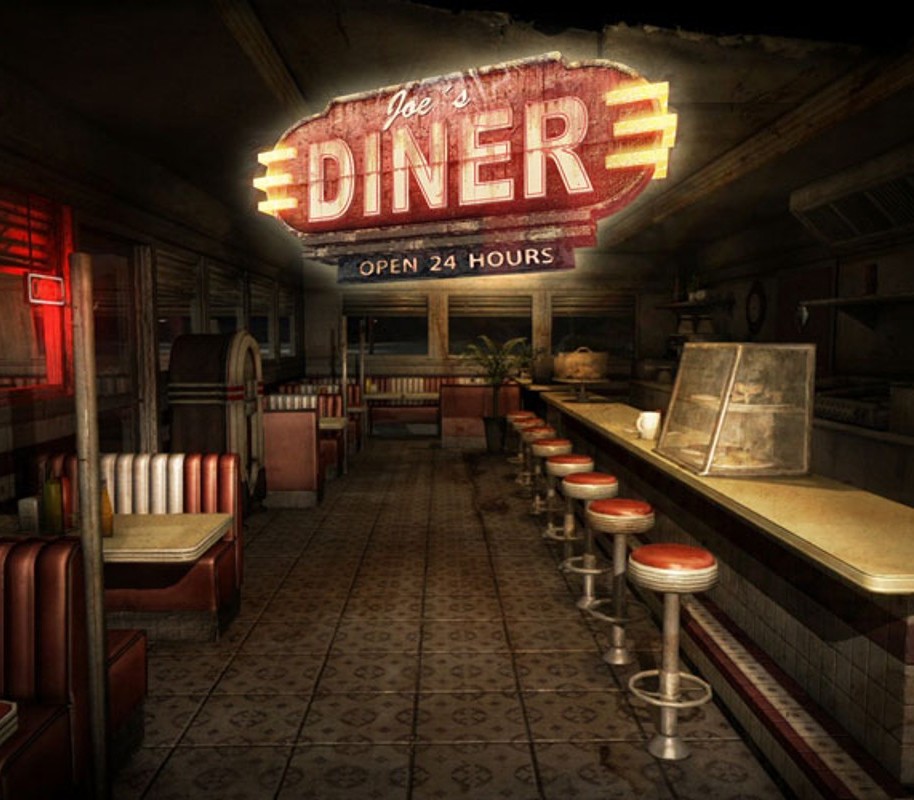
Somewhere along the venerable Route 7, in the middle of nowhere, you will find Joe’s Diner. As an employee working the graveyard shift for the next month, your primary task is to keep the tables clean – no tough challenge at all. Unfortunately there’s a rub to it. The old Diner was built on the site of a former Indian cemetery. Amongst the buried, two rival chieftains are laid to rest; while alive each could not stand the other. One chieftain endeavors only to rest in peace. The other, a prankster both in life and the afterlife, is prone to ruffle the feathers of his fellow chief. Besides your tasks as a waiter, it’s up to you to keep things calm and not incur the angry chieftains’ wrath. To lay them both to everlasting rest just do your duty. Sounds easy but it’s not – promised. Features Work over 30 night shifts as a holiday replacement in Joe’s Diner Keep things calm to not incur the angry chieftains’ wrath Atmospheric graphics with fantastic lighting Innovative gameplay Deactivate all objects after the chieftain does his monkey business Premium sound scenery and effects From the makers of “Pineview Drive”
What you get
- One activation key for PC
- Instant delivery straight to your email inbox
- The full base game, ready to download
- A step-by-step activation guide (right here)
System requirements
Windows
OS: Windows® Vista / 7 / 8 Processor: Intel® Core™ 2 Duo / AMD® Athlon™ X2, min. 2.4 GHZ Memory: 2 GB RAM Graphics: Nvidia® / AMD® with 256 MB memory DirectX: Version 10 Storage: 1 GB available space Sound Card: DirectX® 10 compatible
Mac
OS: Mac OSX 10.7+ Processor: Intel® Core™ 2 Duo / AMD® Athlon™ X2, min. 2.4 GHZ Memory: 2 GB RAM Graphics: Nvidia® / AMD® with 256 MB memory Storage: 1 GB available space
Linux
OS: Ubuntu 14.04 (Trusty Tahr) Processor: Intel® Core™ 2 Duo / AMD® Athlon™ X2, min. 2.4 GHZ Memory: 3 GB RAM Graphics: Nvidia® / AMD® with 256 MB memory Storage: 1 GB available space
How to redeem
- Complete your purchase — your code is emailed to you within seconds.
- Open the official launcher or store for your platform and find "Redeem code".
- Enter the code exactly as shown in your email and confirm.
- Download, install and jump in.
Platform activation
Go to: http://store.steampowered.com/ and download STEAM client Click "Install Steam" (from the upper right corner) Install and start application, login with your Account name and Password (create one if you don't have). Please follow these instructions to activate a new retail purchase on Steam: Launch Steam and log into your Steam account. Click the Games Menu. Choose Activate a Product on Steam... Follow the onscreen instructions to complete the process. After successful code verification go to the "MY GAMES" tab…
Activation can vary by platform and region. Need a hand? Contact support.
More to play
Browse all →