€7.81
 PC
PC
Instant email delivery
Verified, working key
Secure card checkout
Rated 4.8/5 by gamers
PC
Action
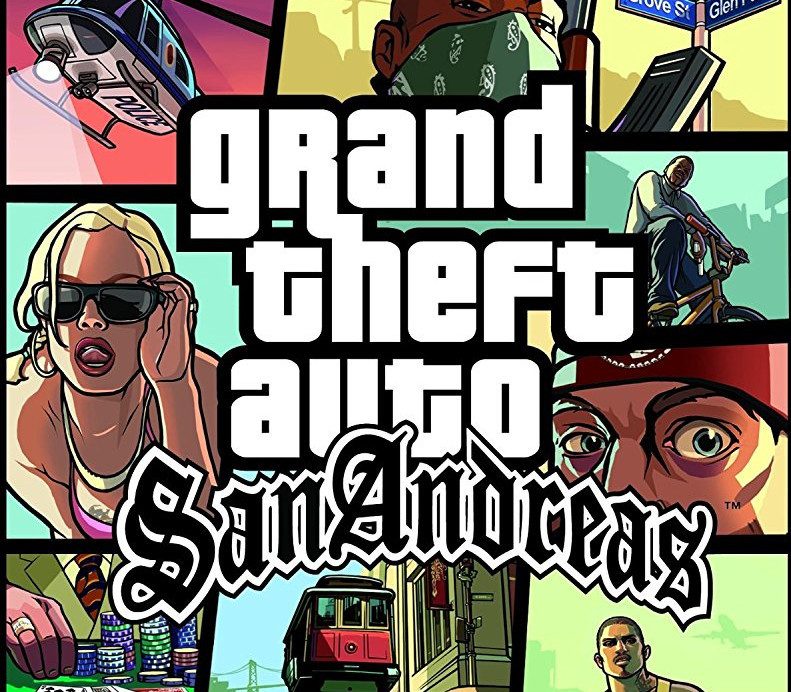
Grand Theft Auto: San Andreas EU Steam CD Key
€92.46
Your activation code is emailed to you within seconds of purchase — no waiting, no shipping.
PlatformPC
RegionEurope
PublisherTake-Two Interactive
DeveloperRockstar North
LanguagesEnglish
DeliveryInstant email
AvailabilityIn stock
SKUPH-15548
About this game
Five years ago Carl Johnson escaped from the pressures of life in Los Santos, San Andreas… a city tearing itself apart with gang trouble, drugs and corruption. Where filmstars and millionaires do their best to avoid the dealers and gangbangers. Now, it’s the early 90s. Carl’s got to go home. His mother has been murdered, his family has fallen apart and his childhood friends are all heading towards disaster. On his return to the neighborhood, a couple of corrupt cops frame him for homicide. CJ is forced on a journey that takes him across the entire state of San Andreas, to save his family and to take control of the streets.
What you get
- One activation key for PC
- Instant delivery straight to your email inbox
- The full base game, ready to download
- A step-by-step activation guide (right here)
System requirements
Windows
OS: Microsoft® Windows® 2000/XP Processor: 1Ghz Pentium III or AMD Athlon Processor Memory: 256MB of RAM Graphics: 64MB Video Card (Geforce 3 or better) Hard Drive: 3.6GB of free hard disk space (minimal install) Other Requirements: Software installations required including DirectX and Sony DADC SecuROM Partner Requirements: Please check the terms of service of this site before purchasing this software.
How to redeem
- Complete your purchase — your code is emailed to you within seconds.
- Open the official launcher or store for your platform and find "Redeem code".
- Enter the code exactly as shown in your email and confirm.
- Download, install and jump in.
Platform activation
Go to: http://store.steampowered.com/ and download STEAM client Click "Install Steam" (from the upper right corner) Install and start application, login with your Account name and Password (create one if you don't have). Please follow these instructions to activate a new retail purchase on Steam: Launch Steam and log into your Steam account. Click the Games Menu. Choose Activate a Product on Steam... Follow the onscreen instructions to complete the process. After successful code verification go to the "MY GAMES" tab…
Activation can vary by platform and region. Need a hand? Contact support.
More to play
Browse all →