€4.11
 PC
PC
Instant email delivery
Verified, working key
Secure card checkout
Rated 4.8/5 by gamers
PC
Racing
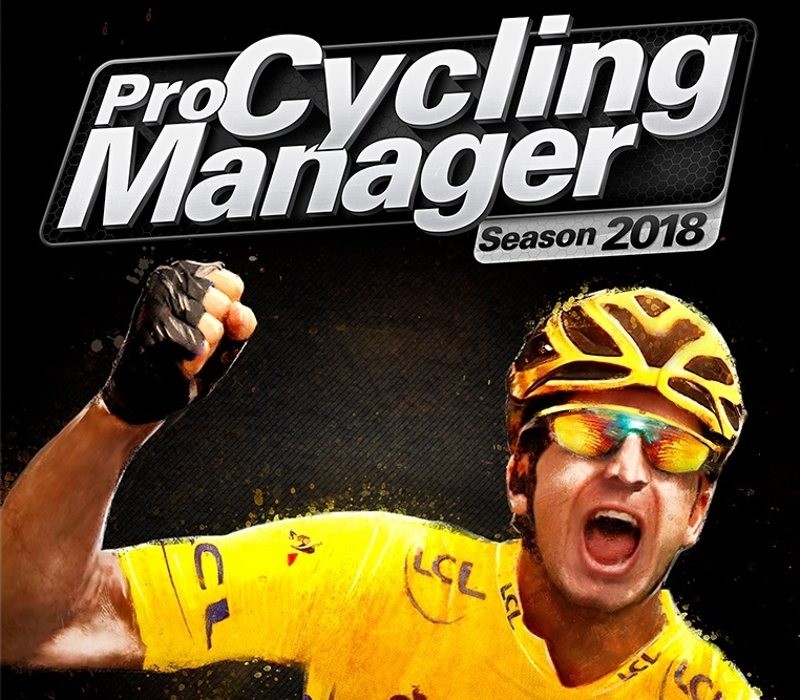
Pro Cycling Manager 2018 EU Steam CD Key
€3.09
Your activation code is emailed to you within seconds of purchase — no waiting, no shipping.
PlatformPC
RegionEurope
PublisherCyanide Studio
DeveloperFocus Entertainment
LanguagesEnglish, French, German, Italian +1
DeliveryInstant email
AvailabilityIn stock
SKUPH-78556
About this game
LEAD YOUR TEAM TO VICTORYStep into the shoes of sports manager and lead your pro cycling team through a challenge-packed 2018 season. Compete in over 200 races across 500 stages around the world, including famous Tours such as La Vuelta and the iconic Tour de France.It’s up to you to make all decisions for your team: hiring the best cyclists and staff, contract negotiations, sponsoring, race scheduling, training… During the race, choose the finest tactics to lead your riders to victory. Play solo or online multiplayer in leagues or clans with up to 16 players and prove to everyone who is the best pro cycling manager! NEW FEATURES Advanced contract and negotiation management in Career mode with in-depth transfer and recruitment mechanics. Deeper progression system in Pro Cyclist mode, with more possibilities than ever to personalize and build your cyclist. Enhanced in-race immersion with many improvements, including bigger breakaways and more realistic and aggressive AI during sprints
What you get
- One activation key for PC
- Instant delivery straight to your email inbox
- The full base game, ready to download
- A step-by-step activation guide (right here)
System requirements
Windows
Requires a 64-bit processor and operating system OS: Windows 7/8/10 (64-bit) Processor: AMD/Intel dual-core 2.5 GHz Memory: 4 GB RAM Graphics: 512 Mo, ATI Radeon HD 5570/NVIDIA GeForce GT 240/Intel HD 4600 Network: Broadband Internet connection Storage: 11 GB available space Additional Notes: INTERNET CONNECTION REQUIRED FOR GAME ACTIVATION AND ONLINE GAME
How to redeem
- Complete your purchase — your code is emailed to you within seconds.
- Open the official launcher or store for your platform and find "Redeem code".
- Enter the code exactly as shown in your email and confirm.
- Download, install and jump in.
Platform activation
Go to: http://store.steampowered.com/ and download STEAM client Click "Install Steam" (from the upper right corner) Install and start application, login with your Account name and Password (create one if you don't have). Please follow these instructions to activate a new retail purchase on Steam: Launch Steam and log into your Steam account. Click the Games Menu. Choose Activate a Product on Steam... Follow the onscreen instructions to complete the process. After successful code verification go to the "MY GAMES" tab…
Activation can vary by platform and region. Need a hand? Contact support.
More to play
Browse all →