€13.62
 PC
PC
Instant email delivery
Verified, working key
Secure card checkout
Rated 4.8/5 by gamers
PC
Simulation
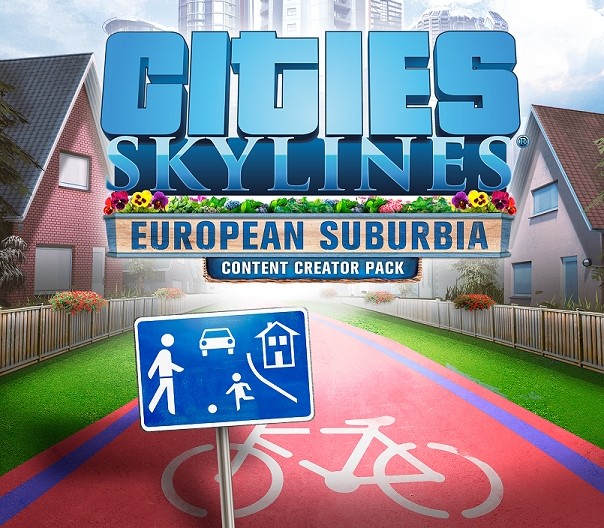
Cities: Skylines - Content Creator Pack: European Suburbia DLC EU Steam CD Key
€3.56
Your activation code is emailed to you within seconds of purchase — no waiting, no shipping.
PlatformPC
RegionEurope
LanguagesChinese, English, French, German +4
DeliveryInstant email
AvailabilityIn stock
SKUPH-78886
About this game
European Suburbia, the newest content creator style pack for Cities: Skylines is bringing the suburban fantasy of Europe to city builders around the world. Players can expand their city with 80 new special residential buildings and props, straight from modder Samantha “Avanya” Woods, inspired by cities throughout Europe, including England, Germany, Sweden, Denmark and Holland!
What you get
- One activation key for PC
- Instant delivery straight to your email inbox
- The full base game, ready to download
- A step-by-step activation guide (right here)
System requirements
Windows
OS: Microsoft Windows XP/Vista/7/8/8.1 (64-bit) Processor: Intel Core 2 Duo, 3.0GHz or AMD Athlon 64 X2 6400+, 3.2GHz Memory: 4 GB RAM Graphics: nVIDIA GeForce GTX 260, 512 MB or ATI Radeon HD 5670, 512 MB (Does not support Intel Integrated Graphics Cards) DirectX: Version 9.0c Network: Broadband Internet connection Storage: 4 GB available space
Mac
OS: OS X 10.9 (64-bit) Processor: Intel Core 2 Duo, 3.0GHz Memory: 4 GB RAM Graphics: nVIDIA GeForce GTX 260, 512 MB or ATI Radeon HD 5670, 512 MB (Does not support Intel Integrated Graphics Cards) Network: Broadband Internet connection Storage: 4 GB available space
Linux
OS: Ubuntu 12.04 (64-bit) Processor: Intel Core 2 Duo, 3.0GHz or AMD Athlon 64 X2 6400+, 3.2GHz Memory: 4 GB RAM Graphics: nVIDIA GeForce GTX 260, 512 MB or ATI Radeon HD 5670, 512 MB (Does not support Intel Integrated Graphics Cards) Network: Broadband Internet connection Storage: 4 GB available space
How to redeem
- Complete your purchase — your code is emailed to you within seconds.
- Open the official launcher or store for your platform and find "Redeem code".
- Enter the code exactly as shown in your email and confirm.
- Download, install and jump in.
Platform activation
Go to: http://store.steampowered.com/ and download STEAM client Click "Install Steam" (from the upper right corner) Install and start application, login with your Account name and Password (create one if you don't have). Please follow these instructions to activate a new retail purchase on Steam: Launch Steam and log into your Steam account. Click the Games Menu. Choose Activate a Product on Steam... Follow the onscreen instructions to complete the process. After successful code verification go to the "MY GAMES" tab…
Activation can vary by platform and region. Need a hand? Contact support.
More to play
Browse all →