€215.16
 PC
PC
Instant email delivery
Verified, working key
Secure card checkout
Rated 4.8/5 by gamers
PC
Action
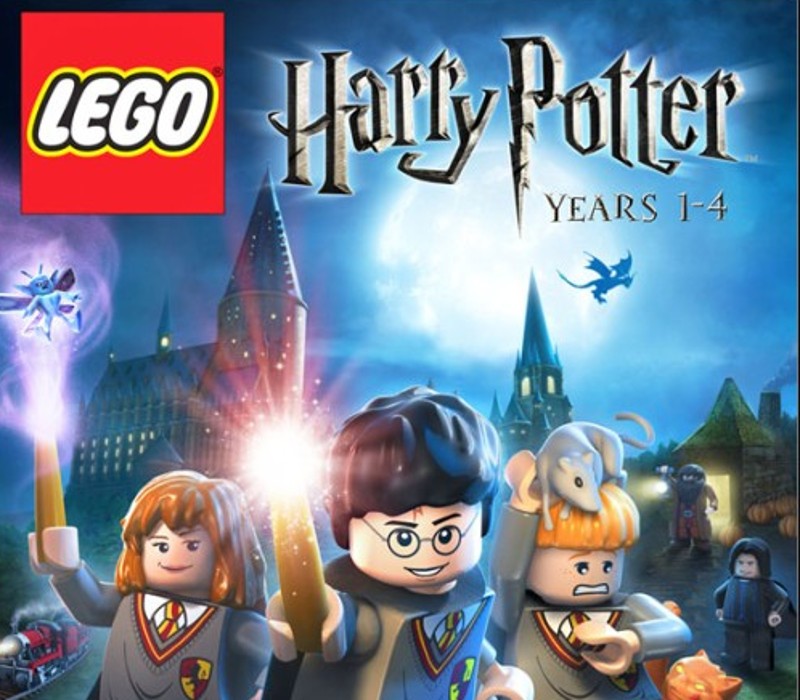
LEGO Harry Potter: Years 1-4 EU PC Steam CD Key
€1.79
Your activation code is emailed to you within seconds of purchase — no waiting, no shipping.
PlatformPC
RegionEurope
PublisherWarner Bros. Interactive Entertainment
DeveloperTraveller's Tales
LanguagesEnglish, French, German, Italian +1
DeliveryInstant email
AvailabilityIn stock
SKUPH-80738
About this game
Build the adventure from Privet Drive to the Triwizard Tournament and experience the magic of the first four Harry Potter stories – LEGO style! Explore Hogwarts™ School of Witchcraft and Wizardry, learn spells, brew potions and relive the adventures like never before with tongue-in-cheek humor and creative customization that is unique to LEGO videogames! Features Connect the bricks from the Privet Drive to the Triwizard Tournament and experience the magic of the Harry Potter™ adventures – LEGO style. Play as Harry, Ron, and Hermione as well as other favorite characters. Explore Hogwarts™ castle, Diagon Alley™, the forbidden Forest, the village of Hogsmeade™ and more. Cast a spell with a friend and play through the first four stories as a team with Co-op play.
What you get
- One activation key for PC
- Instant delivery straight to your email inbox
- The full base game, ready to download
- A step-by-step activation guide (right here)
System requirements
Windows
OS: Windows XP/Vista Processor: Intel P4 1.8 GHz/AMD Athlon XP 2200+ RAM: 512MB Graphics Card: ATI X1300/NVIDIA GeForce FX 5800 (256 MB RAM) Sound Card: 100% DirectX®9.0c compatible audio device Input Devices: Keyboard; Xbox 360 Controller for Windows supported
How to redeem
- Complete your purchase — your code is emailed to you within seconds.
- Open the official launcher or store for your platform and find "Redeem code".
- Enter the code exactly as shown in your email and confirm.
- Download, install and jump in.
Platform activation
Go to: http://store.steampowered.com/ and download STEAM client Click "Install Steam" (from the upper right corner) Install and start application, login with your Account name and Password (create one if you don't have). Please follow these instructions to activate a new retail purchase on Steam: Launch Steam and log into your Steam account. Click the Games Menu. Choose Activate a Product on Steam... Follow the onscreen instructions to complete the process. After successful code verification go to the "MY GAMES" tab…
Activation can vary by platform and region. Need a hand? Contact support.
More to play
Browse all →