€0.70
 PC
PC
Instant email delivery
Verified, working key
Secure card checkout
Rated 4.8/5 by gamers
PC
Adventure
Obduction EU Steam CD Key
€15.58
Your activation code is emailed to you within seconds of purchase — no waiting, no shipping.
PlatformPC
RegionEurope
PublisherCyan Worlds
DeveloperCyan Worlds
LanguagesChinese, English, French, German +3
DeliveryInstant email
AvailabilityIn stock
SKUPH-110872
About this game
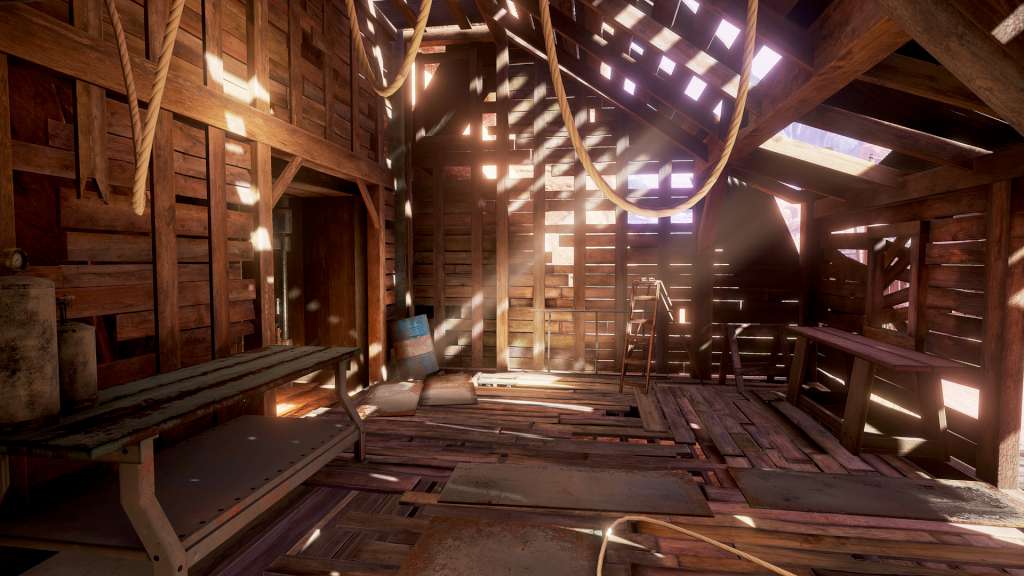
From Cyan, the indie studio that brought you Myst and Riven comes a whole new adventure that will become your world. As you walk beside the lake on a cloudy night, a distant thunderclap demands your attention. A curious, organic artifact falls from the starry sky and inexplicably, without asking permission, transports you across the universe. You’ve been abducted from your cozy existence and added into an alien landscape with a stereotypical Kansas farmhouse, a white picket fence, and a rather bizarre little ghost town – well… almost ghost town. Adding to the oddity, you discover a strangely kluged kiosk that reassuringly welcomes you to Hunrath. The new worlds of Obduction reveal their secrets only as you explore, coax, and consider them. And as you bask in the otherworldly beauty and explore through the enigmatic landscapes, remember that the choices you make will have substantial consequences. This is your story now.
What you get
- One activation key for PC
- Instant delivery straight to your email inbox
- The full base game, ready to download
- A step-by-step activation guide (right here)
System requirements
Windows
OS: Windows 7 SP1 64 bit or newer Processor: CPU Intel i5-2500 equivalent or better Memory: 8 GB RAM Graphics: GeForce 660 GTX w/1GB / AMD 7700 series w/ 1GB equivalent or better Storage: 20 GB available space
How to redeem
- Complete your purchase — your code is emailed to you within seconds.
- Open the official launcher or store for your platform and find "Redeem code".
- Enter the code exactly as shown in your email and confirm.
- Download, install and jump in.
Platform activation
Go to: http://store.steampowered.com/ and download STEAM client Click "Install Steam" (from the upper right corner) Install and start application, login with your Account name and Password (create one if you don't have). Please follow these instructions to activate a new retail purchase on Steam: Launch Steam and log into your Steam account. Click the Games Menu. Choose Activate a Product on Steam... Follow the onscreen instructions to complete the process. After successful code verification go to the "MY GAMES" tab…
Activation can vary by platform and region. Need a hand? Contact support.
More to play
Browse all →