€13.62
 PC
PC
Instant email delivery
Verified, working key
Secure card checkout
Rated 4.8/5 by gamers
PC
Adventure
TOEM: A Photo Adventure EU PC Steam CD Key
€1.21
Your activation code is emailed to you within seconds of purchase — no waiting, no shipping.
PlatformPC
RegionEurope
PublisherSomething We Made
DeveloperSomething We Made
LanguagesChinese, English, French, German +3
DeliveryInstant email
AvailabilityIn stock
SKUPH-117217
About this game
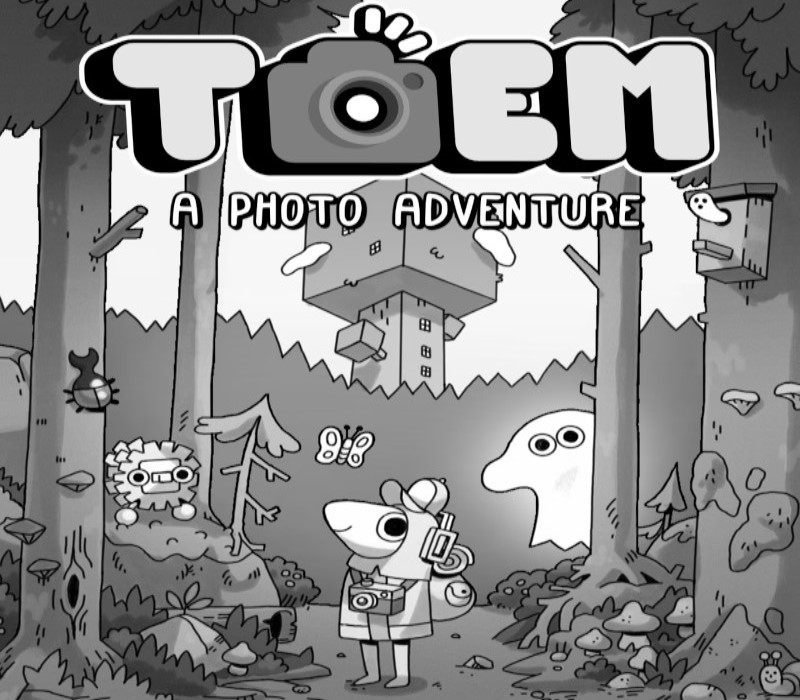
Set off on a delightful expedition and use your photographic eye to uncover the mysteries of the magical TOEM in this hand-drawn adventure game. Chat with quirky characters, solve their problems by snapping neat photos, and make your way through a relaxing landscape! Take photos with your camera to solve puzzles and help people!Listen to chill beats and take in your surroundings!Meet quirky characters and help them with their problems!
What you get
- One activation key for PC
- Instant delivery straight to your email inbox
- The full base game, ready to download
- A step-by-step activation guide (right here)
System requirements
Windows
Minimum: Requires a 64-bit processor and operating system OS *: Windows 7 or later
Mac
Minimum: Requires a 64-bit processor and operating system OS: 10.12+
Linux
Minimum: OS: Ubuntu 16.04 and Ubuntu 18.04 Processor: x64 architecture with SSE2 instruction set support Graphics: OpenGL 3.2+, Vulkan capable Additional Notes: - Gnome desktop environment running on top of X11 windowing system - Other configuration and user environment as provided by default with the supported distribution (Kernel, Compositor, etc.) - Nvidia and AMD GPUs using Nvidia official proprietary graphics driver or AMD Mesa graphics driver
How to redeem
- Complete your purchase — your code is emailed to you within seconds.
- Open the official launcher or store for your platform and find "Redeem code".
- Enter the code exactly as shown in your email and confirm.
- Download, install and jump in.
Platform activation
Go to: http://store.steampowered.com/ and download STEAM client Click "Install Steam" (from the upper right corner) Install and start application, login with your Account name and Password (create one if you don't have). Please follow these instructions to activate a new retail purchase on Steam: Launch Steam and log into your Steam account. Click the Games Menu. Choose Activate a Product on Steam... Follow the onscreen instructions to complete the process. After successful code verification go to the "LIBRARY" tab and…
Activation can vary by platform and region. Need a hand? Contact support.
More to play
Browse all →