€10.95
 PC
PC
Instant email delivery
Verified, working key
Secure card checkout
Rated 4.8/5 by gamers
PC
Action
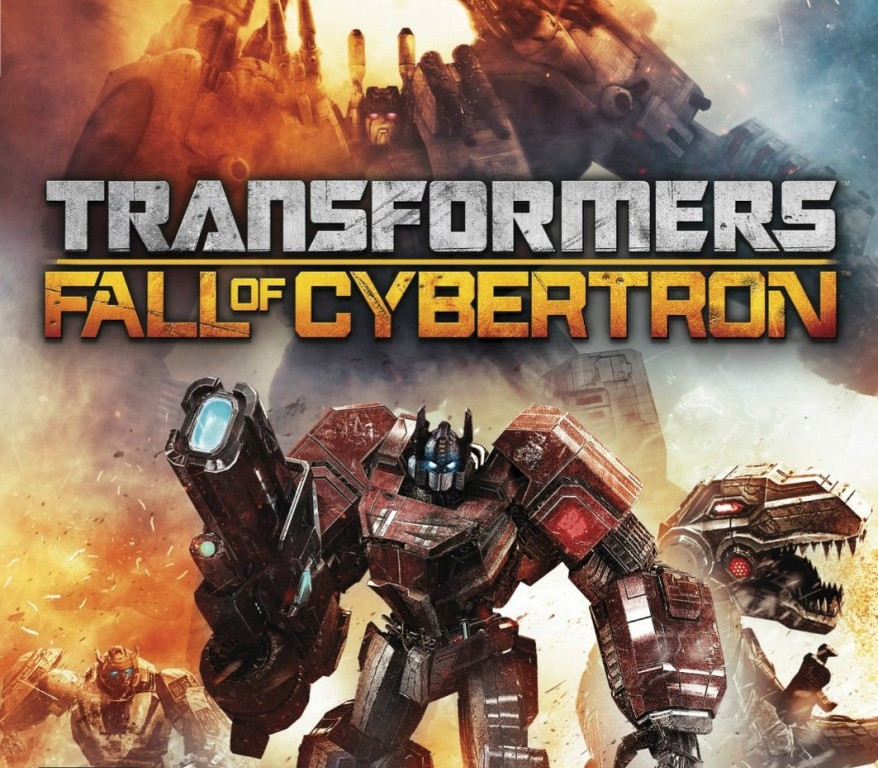
Transformers Fall of Cybertron EU Steam CD Key
€240.90
Your activation code is emailed to you within seconds of purchase — no waiting, no shipping.
PlatformPC
RegionEurope
PublisherAtlus
DeveloperWinkysoft
LanguagesEnglish, French, German, Italian +1
DeliveryInstant email
AvailabilityIn stock
SKUPH-130080
About this game
Transformers™: Fall of Cybertron™ transports you to the final days of the planet Cybertron where you will experience the darkest hours of the apocalyptic war between the AUTOBOTS and DECEPTICONS. Embark on an adrenaline-fueled journey through a wide range of missions and massive environments designed around each character’s unique abilities. With the stakes higher than ever before, you play as a variety of Transformers characters, including Grimlock’s nearly indestructible T-Rex form and the legendary Combaticons forming into the colossal Bruticus. Fight through both sides of the Transformers’ most epic battles leading to their legendary exodus from their homeworld. Transformers™: Fall of Cybertron™ allows you to go head-to-head as AUTOBOTS and DECEPTICONS with its multi-player online mode. Create your own personalized character and weaponry with the most advanced and in-depth customization ever before seen in a Transformers video game.
What you get
- One activation key for PC
- Instant delivery straight to your email inbox
- The full base game, ready to download
- A step-by-step activation guide (right here)
System requirements
Windows
OS: Windows® XP/Vista/7 Processor: Intel Core 2 Duo 2.6 GHz or AMD Phenom X3 8750 Memory: 2 GB system RAM Hard Disk Space: 8.4 GB Free Space Video Card: GeForce 8800 GT series with 512 MB RAM or ATI Radeon HD 4850 with 512 MB RAM DirectX®: DirectX 9.0c or DirectX 10 Sound: DirectX compatible Sound card Additional: Broadband connection and service required for Multiplayer Connectivity. Internet connection required for activation.
How to redeem
- Complete your purchase — your code is emailed to you within seconds.
- Open the official launcher or store for your platform and find "Redeem code".
- Enter the code exactly as shown in your email and confirm.
- Download, install and jump in.
Platform activation
Go to: http://store.steampowered.com/ and download STEAM client Click "Install Steam" (from the upper right corner) Install and start application, login with your Account name and Password (create one if you don't have). Please follow these instructions to activate a new retail purchase on Steam: Launch Steam and log into your Steam account. Click the Games Menu. Choose Activate a Product on Steam... Follow the onscreen instructions to complete the process. After successful code verification go to the "MY GAMES" tab…
Activation can vary by platform and region. Need a hand? Contact support.
More to play
Browse all →