€13.62
 PC
PC
Instant email delivery
Verified, working key
Secure card checkout
Rated 4.8/5 by gamers
PC
Action
Chronicon EU Steam CD Key
€7.14
Your activation code is emailed to you within seconds of purchase — no waiting, no shipping.
PlatformPC
RegionEurope
PublisherSubworld
DeveloperSubworld
LanguagesEnglish
DeliveryInstant email
AvailabilityIn stock
SKUPH-137108
About this game
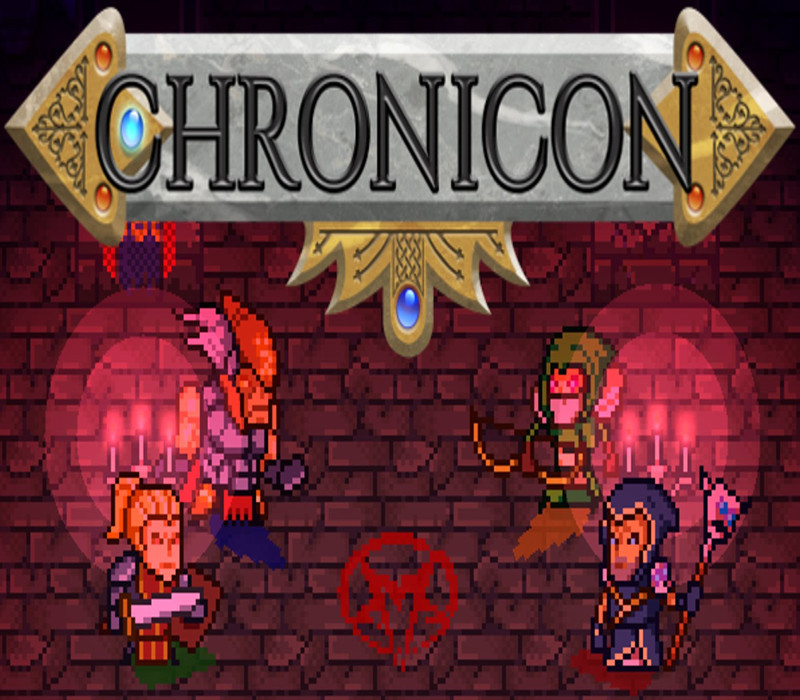
What happens in a world where the last evil lies dead, the last quest is completed, and the last chest has been opened? In this world, the long-dead Heroes of Old are forever remembered and honoured through a great magical device. This device, known only as the Chronicon, is capable of opening a portal into the memories – the very souls – of the Heroes of Old. Each year, a handful men and women are given the great honour to re-live the old tales. And this year, you have been chosen… Features The first full chapter to play through, with 4 additional chapters coming soon 4 unique classes: The Templar, Berserker, Warden, and Warlock Procedurally generated dungeons and areas – each playthrough is different Local co-op up to 4 players (same machine, requires 1 gamepad per additional player) Over 200 items with randomized enchants & qualities Over 60 spells and abilities to learn and improve Full gamepad support (optional)
What you get
- One activation key for PC
- Instant delivery straight to your email inbox
- The full base game, ready to download
- A step-by-step activation guide (right here)
System requirements
Windows
OS: Windows 7 / 8 / 10 Processor: Dual Core, 2.4 GHz Memory: 2 GB RAM Graphics: DirectX 9.0c and Shader Model 3.0 Compatible Dedicated Video Card, 512 MB VRAM DirectX: Version 9.0c Storage: 500 MB available space Additional Notes: Intel HD video cards poorly supported. Requirements may change during development.
Linux
OS: Ubuntu 14 or above Processor: Dual Core, 2.4 GHz Memory: 2 GB RAM Graphics: DirectX 9.0c and Shader Model 3.0 Compatible Dedicated Video Card, 512 MB VRAM Storage: 500 MB available space Additional Notes: Intel HD video cards poorly supported. Requirements may change during development.
How to redeem
- Complete your purchase — your code is emailed to you within seconds.
- Open the official launcher or store for your platform and find "Redeem code".
- Enter the code exactly as shown in your email and confirm.
- Download, install and jump in.
Platform activation
Go to: http://store.steampowered.com/ and download STEAM client Click "Install Steam" (from the upper right corner) Install and start application, login with your Account name and Password (create one if you don't have). Please follow these instructions to activate a new retail purchase on Steam: Launch Steam and log into your Steam account. Click the Games Menu. Choose Activate a Product on Steam... Follow the onscreen instructions to complete the process. After successful code verification go to the "MY GAMES" tab…
Activation can vary by platform and region. Need a hand? Contact support.
More to play
Browse all →