€4.11
 PC
PC
Instant email delivery
Verified, working key
Secure card checkout
Rated 4.8/5 by gamers
PC
Action
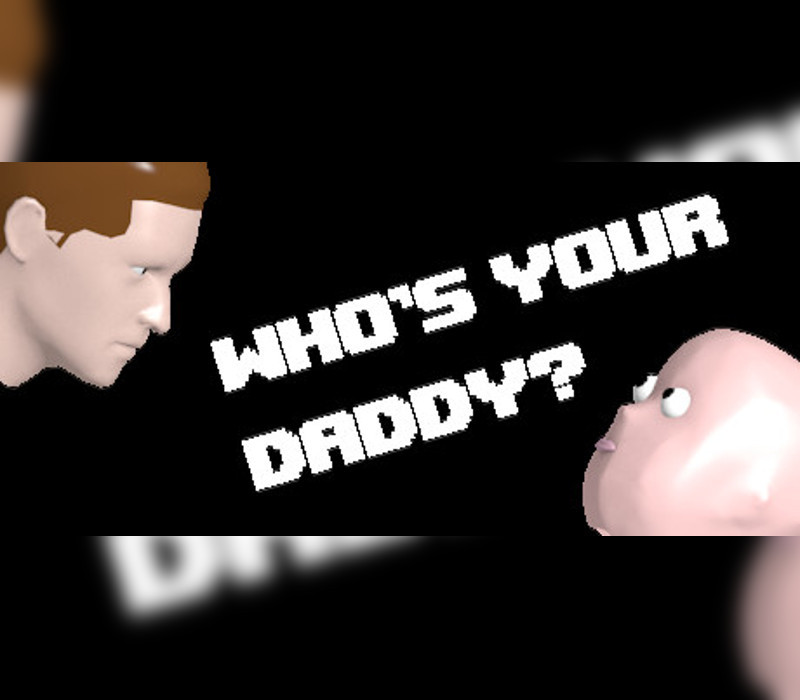
Who's Your Daddy EU PC Steam CD Key
€40.24
Your activation code is emailed to you within seconds of purchase — no waiting, no shipping.
Out of stock
PlatformPC
RegionEurope
PublisherEvil Tortilla Games
DeveloperEvil Tortilla Games
LanguagesEnglish
DeliveryInstant email
AvailabilityOut of stock
SKUPH-168141
About this game
Who’s Your Daddy is a casual 1 on 1 video game featuring a clueless father attempting to prevent his infant son from certain death. Who’s Your Daddy features two different characters to play as, the daddy and the baby. Features A beautiful home for you to watch over your son in Physics-based game play allows you to move small objects as you, please Beautiful compositions to be played on your baby’s piano Two unique character types to play as Randomized locations of crucial items Awesome power-ups for being able to do chores
What you get
- One activation key for PC
- Instant delivery straight to your email inbox
- The full base game, ready to download
- A step-by-step activation guide (right here)
System requirements
Windows
OS: Windows XP 64 Processor: 2 GHz Memory: 4 GB RAM Graphics: GeForce 460/Radeon HD 5850/Intel HD 4600 with at least 1024 MB video RAM DirectX: Version 9.0c Network: Broadband Internet connection Storage: 1 GB available space
Mac
OS: OS X Lion 10.7 Processor: 2 GHz Memory: 4 GB RAM Graphics: GeForce 460/Radeon HD 5850/Intel HD 4600 with at least 1024 MB video RAM Network: Broadband Internet connection Storage: 1 GB available space
Linux
OS: Linux (Most distros should work) Processor: 2 GHz Memory: 4 GB RAM Graphics: GeForce 460/Radeon HD 5850/Intel HD 4600 with at least 1024 MB video RAM Network: Broadband Internet connection Storage: 1 GB available space
How to redeem
- Complete your purchase — your code is emailed to you within seconds.
- Open the official launcher or store for your platform and find "Redeem code".
- Enter the code exactly as shown in your email and confirm.
- Download, install and jump in.
Platform activation
In order to receive and activate the game: You will receive a gift link to a website. Open that link in your web browser. Depending on the prompt please provide your Steam profile link or login via Steam If needed choose the same country as your store country found in Steam account details. You can check this setting here. Automated bot system will add your Steam account to friendlist. After you accept the friend request from bot, it will send…
Activation can vary by platform and region. Need a hand? Contact support.
More to play
Browse all →