€4.11
 PC
PC
Instant email delivery
Verified, working key
Secure card checkout
Rated 4.8/5 by gamers
PC
Simulation
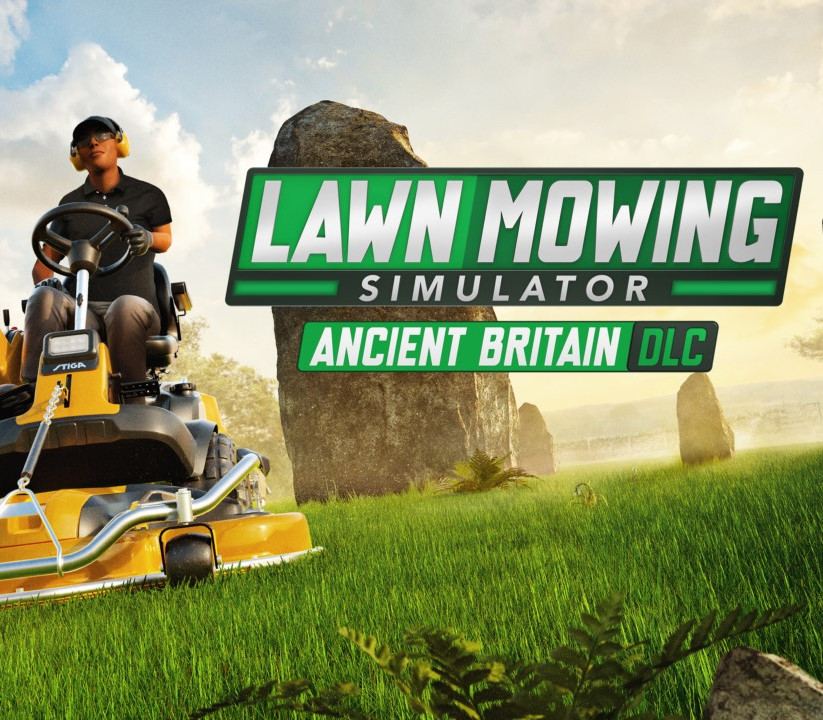
Lawn Mowing Simulator - Ancient Britain DLC EU Steam CD Key
€2.54
Your activation code is emailed to you within seconds of purchase — no waiting, no shipping.
PlatformPC
RegionEurope
PublisherCurve Games
DeveloperSkyhook Games
LanguagesChinese, English, French, German +6
DeliveryInstant email
AvailabilityIn stock
SKUPH-200752
About this game
With the Ancient Britain DLC, you will be able to explore quintessentially British ruins whilst peacefully mowing the lawns of these sites. Discover four brand new locations: The Royal StonesHere you will find quite a whimsical place, with two stone circles – their historical significance continues to be debated, but one thing is for certain, they could use a tidy up! Using the tools at your disposal and the new string trimmers, it is your task to go around these ancient ruins and carefully tidy it up. Druid’s TorHidden in a quiet valley lie these ancient megaliths, forgotten by the modern world. Do your bit in bringing this site back to life! The Ancient AurochsOne of Britain’s oldest inns, this charming setting seems to be the perfect place to spend the day mowing. Aurochs HillA fascinating site that is home to a Bronze-Age field painting. Set on a steep slope with an intricate cut pattern around the painting, this may be your toughest task yet. Be sure to go slow as any damage caused to this historic site will come with a heavy fine.
What you get
- One activation key for PC
- Instant delivery straight to your email inbox
- The full base game, ready to download
- A step-by-step activation guide (right here)
System requirements
Windows
Minimum: Requires a 64-bit processor and operating system OS: Windows 10 x64 Processor: Intel Core i7-7700HQ (2 Cores @ 2.8GHz)/AMD FX-9590 (8 Cores @ 4.7GHz) or equivalent Memory: 8 GB RAM Graphics: NVIDIA GeForce GTX 1050Ti (4GB)/AMD Radeon R9 390X (8GB) DirectX: Version 11 Storage: 20 GB available space Additional Notes: 30 FPS+ @ Low 1080p
How to redeem
- Complete your purchase — your code is emailed to you within seconds.
- Open the official launcher or store for your platform and find "Redeem code".
- Enter the code exactly as shown in your email and confirm.
- Download, install and jump in.
Platform activation
Go to: http://store.steampowered.com/ and download STEAM client Click "Install Steam" (from the upper right corner) Install and start application, login with your Account name and Password (create one if you don't have). Please follow these instructions to activate a new retail purchase on Steam: Launch Steam and log into your Steam account. Click the Games Menu. Choose Activate a Product on Steam... Follow the onscreen instructions to complete the process. After successful code verification go to the "LIBRARY" tab and…
Activation can vary by platform and region. Need a hand? Contact support.
More to play
Browse all →