€25.29
 PC
PC
Instant email delivery
Verified, working key
Secure card checkout
Rated 4.8/5 by gamers
PC
Adventure
Armikrog EU PC Steam CD Key
€1.72
Your activation code is emailed to you within seconds of purchase — no waiting, no shipping.
PlatformPC
RegionEurope
PublisherVersus Evil
DeveloperPencil Test Studios
LanguagesEnglish
DeliveryInstant email
AvailabilityIn stock
SKUPH-257043
About this game
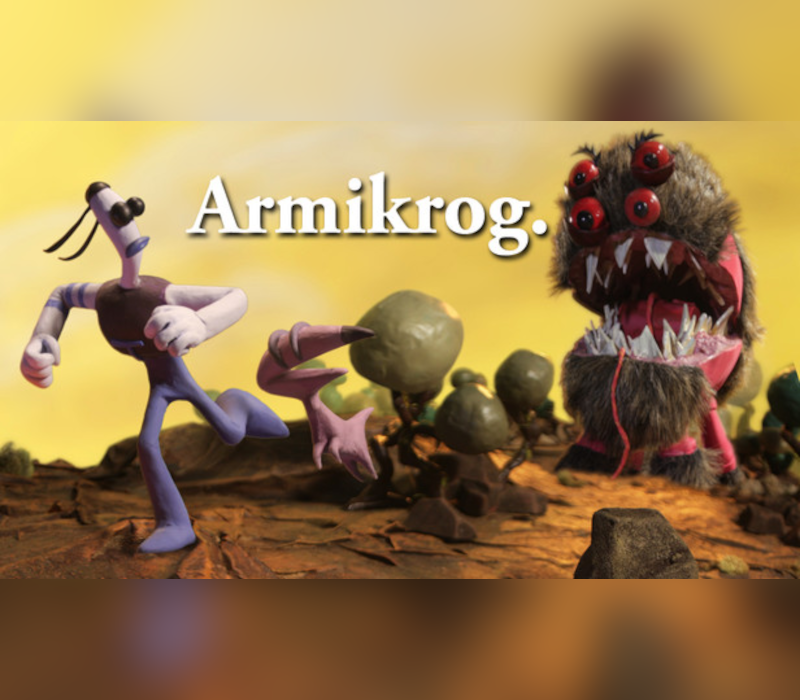
Armikrog is a unique stop motion clay animated point and click adventure game from the creators of Earthworm Jim and the Neverhood. Follow the adventures of space explorer Tommynaut and his blind alien talking dog Beak-Beak, as they unravel the mysteries of the fortress that holds them captive through exploration and puzzle solving! Follow the adventures of space explorer Tommynaut and his blind alien talking dog Beak-Beak, as they unravel the mysteries of the fortress that holds them captive through exploration and puzzle solving! Loveable characters designed by Doug TenNapel creator of the Earthworm Jim and developed by creators of The Neverhood, Ed Schofield and Mike Dietz. Rich cast of voiceover talent brings Armikrog’s characters to life, including well-known actors Jon Heder (Napoleon Dynamite), Rob Paulsen (Pinky and the Brain) and Michael J. Nelson (Mystery Science Theater 3000). Original soundtrack created and recorded by American songwriter and record producer Terry Scott Taylor.
What you get
- One activation key for PC
- Instant delivery straight to your email inbox
- The full base game, ready to download
- A step-by-step activation guide (right here)
System requirements
Windows
Minimum: OS *: Windows XP+ Memory: 2 GB RAM Graphics: Pentium 4 or equivalent DirectX: Version 9.0 Storage: 2 GB available space
Linux
Minimum: OS: Ubuntu 14.04 LTS or SteamOS Memory: 2 GB RAM Graphics: Intel HD 2000 Graphics Storage: 2 GB available space
Mac
Minimum: OS: Mac OSX 10.8 Memory: 2 GB RAM Graphics: Intel HD 2000 Graphics Storage: 2 GB available space
How to redeem
- Complete your purchase — your code is emailed to you within seconds.
- Open the official launcher or store for your platform and find "Redeem code".
- Enter the code exactly as shown in your email and confirm.
- Download, install and jump in.
Platform activation
Go to: http://store.steampowered.com/ and download STEAM client Click "Install Steam" (from the upper right corner) Install and start application, login with your Account name and Password (create one if you don't have). Please follow these instructions to activate a new retail purchase on Steam: Launch Steam and log into your Steam account. Click the Games Menu. Choose Activate a Product on Steam... Follow the onscreen instructions to complete the process. After successful code verification go to the "MY GAMES" tab…
Activation can vary by platform and region. Need a hand? Contact support.
More to play
Browse all →