€9.66
 PC
PC
Instant email delivery
Verified, working key
Secure card checkout
Rated 4.8/5 by gamers
PC
Action
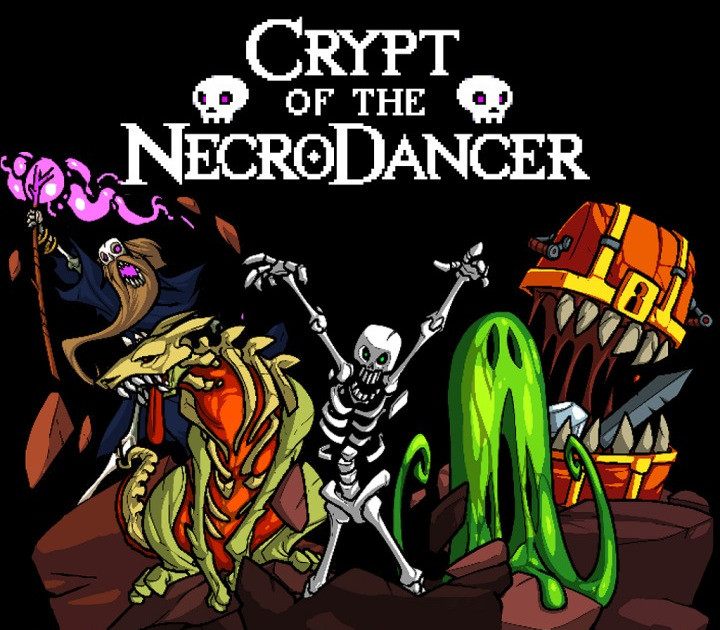
Crypt of the NecroDancer EU PC Steam CD Key
€2.71
Your activation code is emailed to you within seconds of purchase — no waiting, no shipping.
PlatformPC
RegionEurope
PublisherBrace Yourself Games, Klei Entertainment
DeveloperBrace Yourself Games
LanguagesChinese, English, French, German +6
DeliveryInstant email
AvailabilityIn stock
SKUPH-259013
About this game
Crypt of the NecroDancer is a hardcore roguelike rhythm game. Can you survive this deadly dungeon of dance, slay the NecroDancer, and recapture your still beating heart? Or will you be a slave to the rhythm for all eternity? Features Move on the beat to navigate ever changing dungeons while battling dancing skeletons, zombies, dragons, and more! Groove to the game’s epic Danny Baranowsky soundtrack, or select songs from your own MP3 collection! Play with keyboard, controller, or even a USB dance pad!
What you get
- One activation key for PC
- Instant delivery straight to your email inbox
- The full base game, ready to download
- A step-by-step activation guide (right here)
System requirements
Windows
OS: Windows XP, service pack 3 Processor: 2GHz Memory: 1000 MB RAM Graphics: 512MB VRAM Storage: 1600 MB available space
Mac
OS: Minimum 10.6 to run the game, 10.7 if you also want to use your own music files Processor: 2GHz Memory: 1000 MB RAM Graphics: 512MB VRAM Storage: 1600 MB available space
Linux
OS: Steam OS and Ubuntu 12.04 are the only supported Linux OSes Processor: 2GHz Memory: 1000 MB RAM Graphics: 512MB VRAM Storage: 1600 MB available space
How to redeem
- Complete your purchase — your code is emailed to you within seconds.
- Open the official launcher or store for your platform and find "Redeem code".
- Enter the code exactly as shown in your email and confirm.
- Download, install and jump in.
Platform activation
Go to: http://store.steampowered.com/ and download STEAM client Click "Install Steam" (from the upper right corner) Install and start application, login with your Account name and Password (create one if you don't have). Please follow these instructions to activate a new retail purchase on Steam: Launch Steam and log into your Steam account. Click the Games Menu. Choose Activate a Product on Steam... Follow the onscreen instructions to complete the process. After successful code verification go to the "MY GAMES" tab…
Activation can vary by platform and region. Need a hand? Contact support.
More to play
Browse all →