€7.81
 PC
PC
Instant email delivery
Verified, working key
Secure card checkout
Rated 4.8/5 by gamers
PC
Action
Cult of the Lamb EU Steam CD Key
€10.73
Your activation code is emailed to you within seconds of purchase — no waiting, no shipping.
PlatformPC
RegionEurope
PublisherDevolver Digital
DeveloperMassive Monster
LanguagesChinese, English, French, German +5
DeliveryInstant email
AvailabilityIn stock
SKUPH-159388
About this game
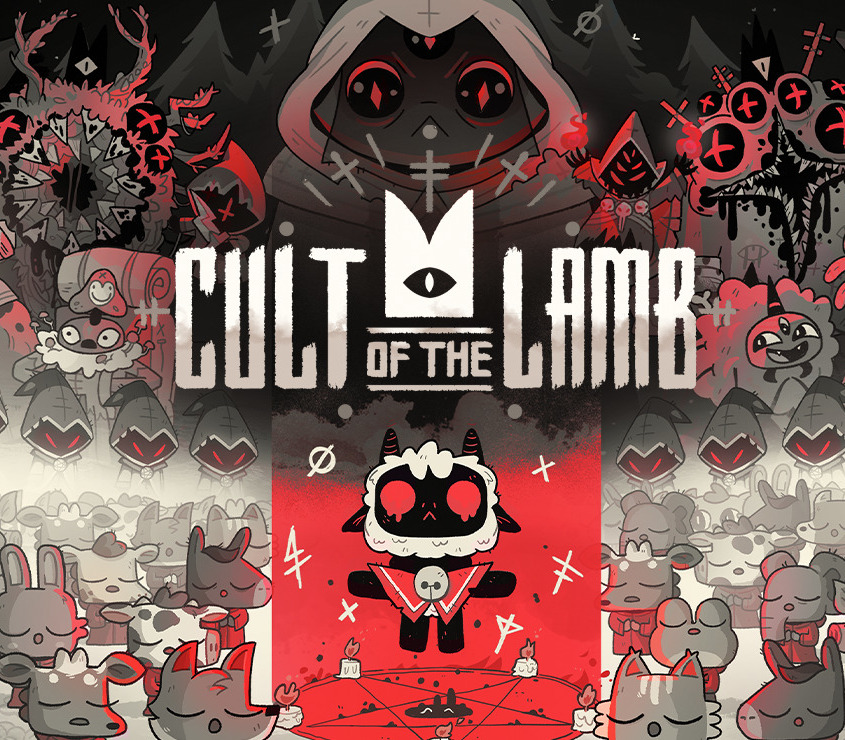
Cult of the Lamb casts players in the role of a possessed lamb saved from annihilation by an ominous stranger, and must repay their debt by building a loyal following in his name. Start your own cult in a land of false prophets, venturing out into diverse and mysterious regions to build a loyal community of woodland worshippers and spread your Word to become the one true cult. Features BUILD YOUR FLOCKCollect and use resources to build new structures, perform dark rituals to appease the gods, and give sermons to reinforce the faith of your flock. DESTROY THE NON-BELIEVERSExplore a sprawling, randomly generated world, fight off hordes of enemies and defeat rival cult leaders in order to absorb their power and assert your cult’s dominance. SPREAD YOUR WORDTrain your flock and embark on a quest to explore and discover the secrets of four mysterious regions. Cleanse the non-believers, spread enlightenment, and perform mystical rituals on the journey to become the mighty lamb god.
What you get
- One activation key for PC
- Instant delivery straight to your email inbox
- The full base game, ready to download
- A step-by-step activation guide (right here)
System requirements
Windows
Minimum: Requires a 64-bit processor and operating system OS: Windows 7 or later Processor: Intel Core i3-3240 (2 * 3400); AMD FX-4300 (4 * 3800) Memory: 4 GB RAM Graphics: GeForce GTX 560 Ti (1024 VRAM); Radeon HD 7750 (1024 VRAM) Storage: 4 GB available space
Mac
Minimum: Requires a 64-bit processor and operating system OS: TBD Memory: 4 GB RAM Storage: 4 GB available space
How to redeem
- Complete your purchase — your code is emailed to you within seconds.
- Open the official launcher or store for your platform and find "Redeem code".
- Enter the code exactly as shown in your email and confirm.
- Download, install and jump in.
Platform activation
Go to: http://store.steampowered.com/ and download STEAM client Click "Install Steam" (from the upper right corner) Install and start application, login with your Account name and Password (create one if you don't have). Please follow these instructions to activate a new retail purchase on Steam: Launch Steam and log into your Steam account. Click the Games Menu. Choose Activate a Product on Steam... Follow the onscreen instructions to complete the process. After successful code verification go to the "LIBRARY" tab and…
Activation can vary by platform and region. Need a hand? Contact support.
More to play
Browse all →