€3.25
 PC
PC
Instant email delivery
Verified, working key
Secure card checkout
Rated 4.8/5 by gamers
PC
Action
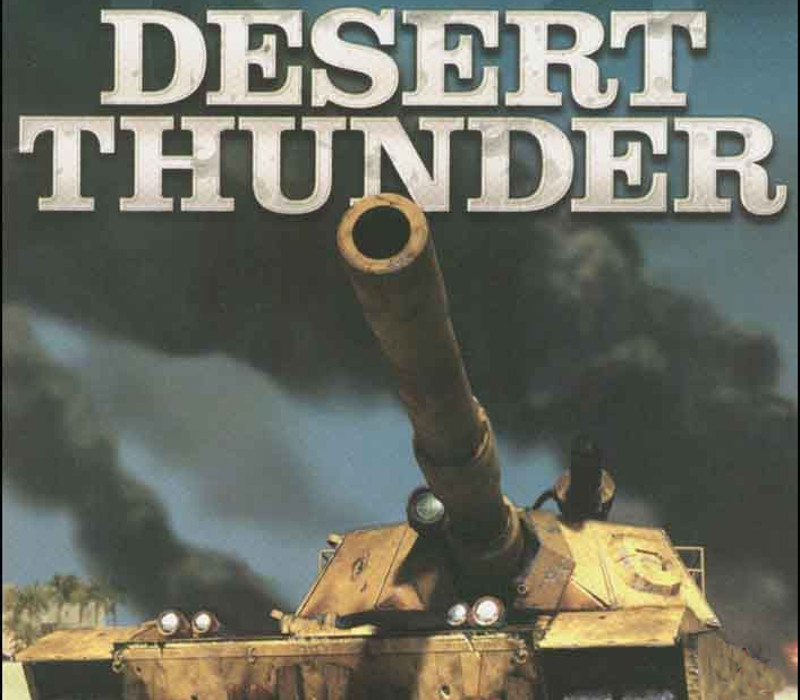
Desert Thunder EU PC Steam CD Key
€1.18
Your activation code is emailed to you within seconds of purchase — no waiting, no shipping.
PlatformPC
RegionEurope
PublisherFunbox Media Ltd
DeveloperBrainbox Games
LanguagesEnglish
DeliveryInstant email
AvailabilityIn stock
SKUPH-260960
About this game
Desert Thunder is an arcade-style action tank game for the PC. Ripped from today’s headlines, the storyline immerses players into the heat of a desert-based military conflict. Players will tear through desert, urban and industrial settings in their experimental battle engine, the Abrams M1A6 Advanced tank that’s loaded with awe-inspiring devastating weapons and armored to near indestructibility. You are the commander of a top secret M1A6 experimental tank division in the Armor Task Force. Your mission was to lead the northern front of Operation Desert Thunder, a secret military operation to overthrow a terrorist faction that has taken control of a peaceful Middle Eastern country. Your mission has been compromised, your small battalion devastated. Left with no alternative, you must complete your mission to reach the capital city and rendezvous with allied forces.
What you get
- One activation key for PC
- Instant delivery straight to your email inbox
- The full base game, ready to download
- A step-by-step activation guide (right here)
System requirements
Windows
Minimum: OS *: Windows 98/ME/2000/XP Processor: Pentium III/750 MHz Memory: 128 MB RAM Graphics: 32 MB DirectX 8 compatible video accelerator
How to redeem
- Complete your purchase — your code is emailed to you within seconds.
- Open the official launcher or store for your platform and find "Redeem code".
- Enter the code exactly as shown in your email and confirm.
- Download, install and jump in.
Platform activation
Go to: http://store.steampowered.com/ and download STEAM client Click "Install Steam" (from the upper right corner) Install and start application, login with your Account name and Password (create one if you don't have). Please follow these instructions to activate a new retail purchase on Steam: Launch Steam and log into your Steam account. Click the Games Menu. Choose Activate a Product on Steam... Follow the onscreen instructions to complete the process. After successful code verification go to the "MY GAMES" tab…
Activation can vary by platform and region. Need a hand? Contact support.
More to play
Browse all →