€4.11
 PC
PC
Instant email delivery
Verified, working key
Secure card checkout
Rated 4.8/5 by gamers
PC
Action
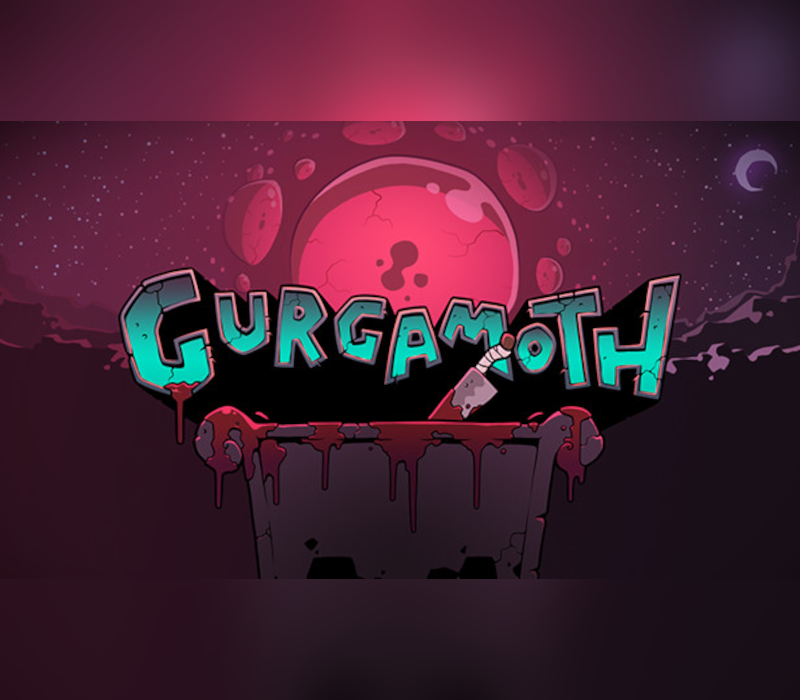
Gurgamoth EU PC Steam CD Key
€1.21
Your activation code is emailed to you within seconds of purchase — no waiting, no shipping.
PlatformPC
RegionEurope
PublisherGalvanic Games
DeveloperGalvanic Games
LanguagesEnglish, French, German, Italian +3
DeliveryInstant email
AvailabilityIn stock
SKUPH-261780
About this game
Gurgamoth is a flying fighting game where the level is your weapon. Gurgamoth is the perfect mix of party chaos and competitive strategy, ideal for sitting around on the couch with a couple of friends. Your only weapon is the level itself: a shifting battlefield with different hazards. Gurgamoth is fast, relying on quick timing, but also your ability to read your opponent. Will they dodge your attack and send you flying into a spinning saw blade? Will they spend their attacks on a power up, leaving them temporarily vulnerable? Will they anticipate your attack and stun you while you’re recovering? Get inside their minds and earn the honor of awakening Gurgamoth. Features Unique levels, each with their own dangers Game-changing power-ups Tight flying mechanics Fantastic visual design Fast, party-friendly matches Full controller support The most fun you’ll have summoning an elder god
What you get
- One activation key for PC
- Instant delivery straight to your email inbox
- The full base game, ready to download
- A step-by-step activation guide (right here)
System requirements
Windows
OS: Windows 7 Processor: Dual Core CPU Memory: 2 GB RAM Graphics: Integrated Storage: 500 MB available space
Mac
OS: 10.9 Processor: Dual Core CPU Memory: 2 GB RAM Graphics: Integrated Storage: 500 MB available space
How to redeem
- Complete your purchase — your code is emailed to you within seconds.
- Open the official launcher or store for your platform and find "Redeem code".
- Enter the code exactly as shown in your email and confirm.
- Download, install and jump in.
Platform activation
Go to: http://store.steampowered.com/ and download STEAM client Click "Install Steam" (from the upper right corner) Install and start application, login with your Account name and Password (create one if you don't have). Please follow these instructions to activate a new retail purchase on Steam: Launch Steam and log into your Steam account. Click the Games Menu. Choose Activate a Product on Steam... Follow the onscreen instructions to complete the process. After successful code verification go to the "MY GAMES" tab…
Activation can vary by platform and region. Need a hand? Contact support.
More to play
Browse all →