€1.98
 PC
PC
Instant email delivery
Verified, working key
Secure card checkout
Rated 4.8/5 by gamers
PC
Action
Lara Croft GO EU PC Steam CD Key
€1.94
Your activation code is emailed to you within seconds of purchase — no waiting, no shipping.
PlatformPC
RegionEurope
PublisherSquare Enix
DeveloperSquare Enix Montréal
LanguagesEnglish, French, German, Italian +2
DeliveryInstant email
AvailabilityIn stock
SKUPH-262287
About this game
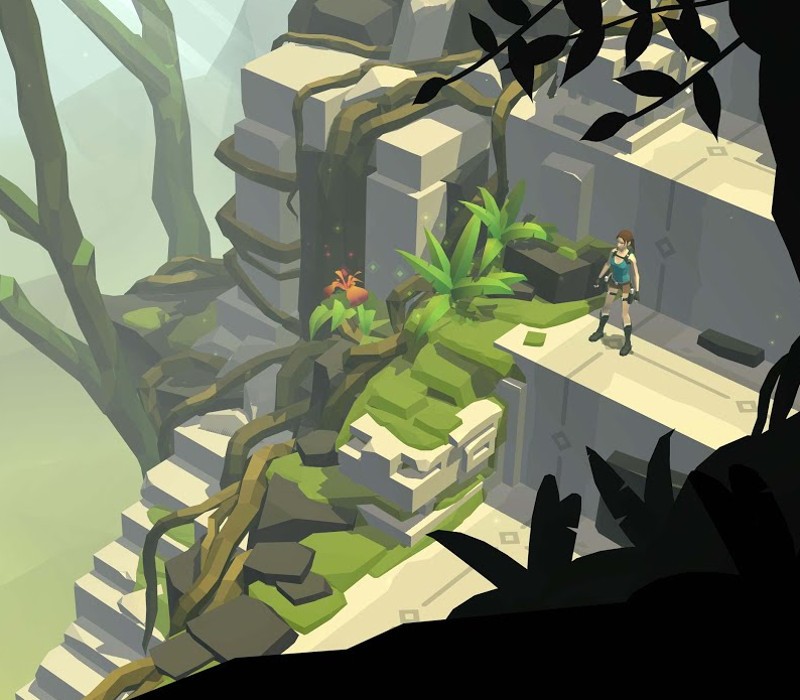
Lara Croft GO is a turn based puzzle-adventure set in a long-forgotten world. Explore the ruins of an ancient civilization, discover well-kept secrets and face deadly challenges as you uncover the myth of the Queen of Venom. Following the award-winning Hitman GO, Square Enix Montréal brings yet another beloved franchise to consoles with this unique take on the iconic heroine’s adventures. The Lara Croft GO Steam version offers unlimited hints and all outfits for free. Features Experience lush visuals and a captivating soundtrack; Fight menacing enemies, overcome dangerous obstacles and escape deadly traps; Collect ancient relics and unlock new outfits for Lara;
What you get
- One activation key for PC
- Instant delivery straight to your email inbox
- The full base game, ready to download
- A step-by-step activation guide (right here)
System requirements
Windows
OS: Windows 7 Processor: Intel(R) Core(TM)2 Quad CPU Q6600 @ 2.40GHz (4 CPUs), ~2.4GHz Memory: 1 GB RAM Graphics: NVIDIA GeForce 310 DirectX: Version 11 Storage: 2 GB available space
Mac
OS: OS X 10.9.5 Processor: 2.4 Ghz Intel Core 2 Duo Memory: 4 GB RAM Graphics: NVIDIA GeForce 320M 256 MB Storage: 2 GB available space
Linux
OS: Ubuntu 14.04.4 LTS Processor: Intel(R) Core(TM)2 Quad CPU Q6600 @ 2.40GHz (4 CPUs), ~2.4GHz Memory: 2 GB RAM Graphics: NVIDIA GeForce 310 Storage: 2 GB available space
How to redeem
- Complete your purchase — your code is emailed to you within seconds.
- Open the official launcher or store for your platform and find "Redeem code".
- Enter the code exactly as shown in your email and confirm.
- Download, install and jump in.
Platform activation
Go to: http://store.steampowered.com/ and download STEAM client Click "Install Steam" (from the upper right corner) Install and start application, login with your Account name and Password (create one if you don't have). Please follow these instructions to activate a new retail purchase on Steam: Launch Steam and log into your Steam account. Click the Games Menu. Choose Activate a Product on Steam... Follow the onscreen instructions to complete the process. After successful code verification go to the "MY GAMES" tab…
Activation can vary by platform and region. Need a hand? Contact support.
More to play
Browse all →