€3.71
 PC
PC
Instant email delivery
Verified, working key
Secure card checkout
Rated 4.8/5 by gamers
PC
Action
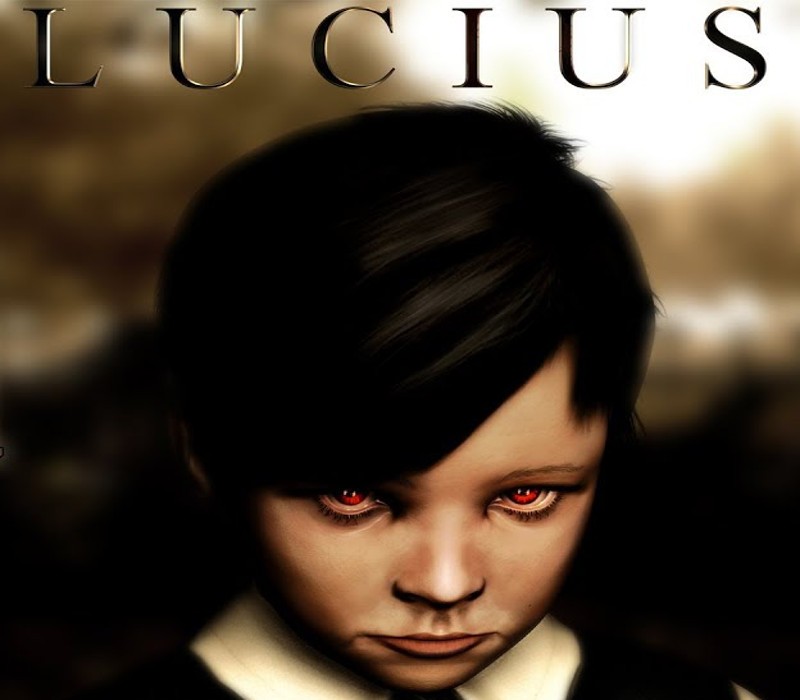
Lucius EU Steam CD Key
€8.28
Your activation code is emailed to you within seconds of purchase — no waiting, no shipping.
PlatformPC
RegionEurope
PublisherLace Mamba Global
DeveloperShiver Games
LanguagesEnglish, German, Russian
DeliveryInstant email
AvailabilityIn stock
SKUPH-176698
About this game
When Lucius was born on June 6th, 1966, nobody expected him to be anything other than a normal little boy but everything changed on Lucius’ 6th Birthday, when his true calling was revealed to him. Equipped with supernatural powers, take control of Lucius as he begins his blood-filled tour of horror through his own house, using Hell’s powers of telekinesis and mind control to orchestrate deadly accidents that will minimize the population of the Dante Manor one by one by one. Features Unique 3D horror adventure gaming experience 3D Open World Cinematic Cut-scenes Breathtaking Atmosphere and Stunning Visuals Harness Supernatural Powers, including Telekinesis and Mind Control Experience the terror of a classic tale from the horror movie genre
What you get
- One activation key for PC
- Instant delivery straight to your email inbox
- The full base game, ready to download
- A step-by-step activation guide (right here)
System requirements
Windows
OS:Windows XP, VISTA, 7 Processor:Pentium 4 1, 5GHz or Athlon XP equivalent Memory:1.5 GB RAM Graphics:NVIDIA 8600 Series or ATI equivalent DirectX®:9.0c Hard Drive:3 GB HD space Sound:DX9.0c compatible
How to redeem
- Complete your purchase — your code is emailed to you within seconds.
- Open the official launcher or store for your platform and find "Redeem code".
- Enter the code exactly as shown in your email and confirm.
- Download, install and jump in.
Platform activation
Go to: http://store.steampowered.com/ and download STEAM client Click "Install Steam" (from the upper right corner) Install and start application, login with your Account name and Password (create one if you don't have). Please follow these instructions to activate a new retail purchase on Steam: Launch Steam and log into your Steam account. Click the Games Menu. Choose Activate a Product on Steam... Follow the onscreen instructions to complete the process. After successful code verification go to the "MY GAMES" tab…
Activation can vary by platform and region. Need a hand? Contact support.
More to play
Browse all →