€9.16
 PC
PC
Instant email delivery
Verified, working key
Secure card checkout
Rated 4.8/5 by gamers
PC
Action
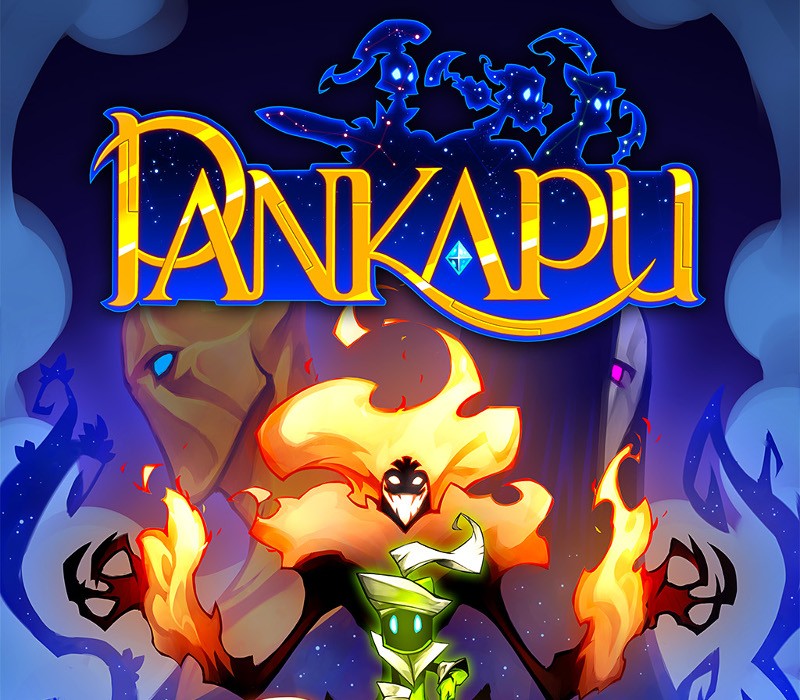
Pankapu - Episodes 1 & 2 EU Steam CD Key
€4.39
Your activation code is emailed to you within seconds of purchase — no waiting, no shipping.
PlatformPC
RegionEurope
PublisherPlug In Digital
DeveloperToo Kind Studio
LanguagesChinese, English, French, German +3
DeliveryInstant email
AvailabilityIn stock
SKUPH-68088
About this game
Includes: Episode 1 Episode 2 Pankapu is a narrative and episodic platform/action game that takes place in the dreams of Djaha’rell, a child once troubled by a tragic incident. Play Pankapu, the tiny warrior chosen by The God of Dreams, to rid the Dreamworld of the Nightmare invasion. Discovering the dreamlike world of Omnia, the player controls Pankapu. This tiny being was created by Iketomi, the God of dreams, in order to defeat the hordes of nightmares that try to invade his world. Told in the manner of a fable read to a child, the game has two levels of reading: the story of Pankapu, epic and naïve in the dream-world, and the one about Jaha’rell’s life, in the real-world, dark and tragic. Features Action / Plateformer in 2D, told like a tale Two parallel stories, between dreams and reality 3 Aegis, acting like jobs, switchable in real time Infuse your weapons with the power of Dream The Nebula System: a skill tree unlocking abilities Explore stages for finding hidden treasures Poetic soundtrack composed by Ganaé and Hiroki Kikuta (Secret Of Mana)
What you get
- One activation key for PC
- Instant delivery straight to your email inbox
- The full base game, ready to download
- A step-by-step activation guide (right here)
System requirements
Windows
OS: Vista or higher Processor: Dual Core CPU Memory: 1 GB RAM Graphics: 3D card with 512 MB DirectX: Version 9.0c
Mac
OS: Mac OS X 10.8 Processor: Dual Core CPU Memory: 1 GB RAM Graphics: 3D card with 512 MB, OpenGL 3.2
Linux
OS: Ubuntu 12.04+, SteamOS+ Processor: Dual Core CPU Memory: 1 GB RAM Graphics: 3D card with 512 MB, OpenGL 3.2 to OpenGL 4.5
How to redeem
- Complete your purchase — your code is emailed to you within seconds.
- Open the official launcher or store for your platform and find "Redeem code".
- Enter the code exactly as shown in your email and confirm.
- Download, install and jump in.
Platform activation
Go to: http://store.steampowered.com/ and download STEAM client Click "Install Steam" (from the upper right corner) Install and start application, login with your Account name and Password (create one if you don't have). Please follow these instructions to activate a new retail purchase on Steam: Launch Steam and log into your Steam account. Click the Games Menu. Choose Activate a Product on Steam... Follow the onscreen instructions to complete the process. After successful code verification go to the "MY GAMES" tab…
Activation can vary by platform and region. Need a hand? Contact support.
More to play
Browse all →