€7.81
 PC
PC
Instant email delivery
Verified, working key
Secure card checkout
Rated 4.8/5 by gamers
PC
Adventure
Spintires EU Steam CD Key
€3.06
Your activation code is emailed to you within seconds of purchase — no waiting, no shipping.
PlatformPC
RegionEurope
PublisherOovee Game Studios
DeveloperOovee Game Studios
LanguagesCzech, Danish, Dutch, English +14
DeliveryInstant email
AvailabilityIn stock
SKUPH-15827
About this game
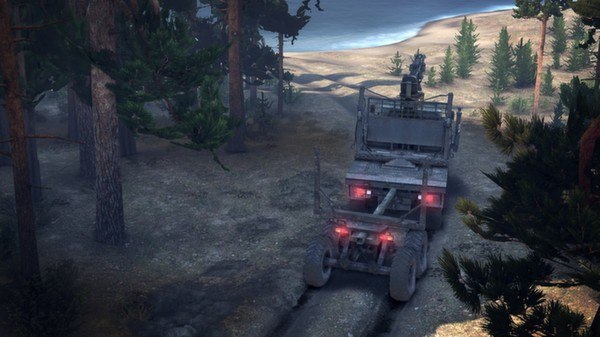
Spintires™ is an Intel® award winning off-road driving experience designed to challenge the player’s driving skill and endurance. Take responsibility of operating large all-terrain Soviet vehicles and venture across the rugged landscapes with only a map and compass to guide you. Explore the levels and unlock portions of the map whilst discovering new trucks, fuelling stations, garages and lumber mills. Collect lumber with the crane attachments and try to deliver them to the objectives. Try not to damage your vehicle or consume all of the fuel, prior to completing the objectives. Use the surroundings to your advantage, you may need to winch yourself free! The real-time deformable terrain will challenge even the most seasoned offroader. Do you accept the challenge?
What you get
- One activation key for PC
- Instant delivery straight to your email inbox
- The full base game, ready to download
- A step-by-step activation guide (right here)
System requirements
Windows
OS: Windows XP, Windows Vista, Windows 7 or Window 8 (32 bit) Processor: Intel® Pentium Dual Core 2.0GHz or equivalent Memory: 2 GB RAM Graphics: NVIDIA GeForce 9600 GT or equivalent DirectX: Version 9.0 Hard Drive: 1 GB available space Sound Card: DirectX® 9.0c Compatible Additional Notes: Game is compatible with: Gamepad Microsoft Xbox 360 Controller for Windows
How to redeem
- Complete your purchase — your code is emailed to you within seconds.
- Open the official launcher or store for your platform and find "Redeem code".
- Enter the code exactly as shown in your email and confirm.
- Download, install and jump in.
Platform activation
Go to: http://store.steampowered.com/ and download STEAM client Click "Install Steam" (from the upper right corner) Install and start application, login with your Account name and Password (create one if you don't have). Please follow these instructions to activate a new retail purchase on Steam: Launch Steam and log into your Steam account. Click the Games Menu. Choose Activate a Product on Steam... Follow the onscreen instructions to complete the process. After successful code verification go to the "MY GAMES" tab…
Activation can vary by platform and region. Need a hand? Contact support.
More to play
Browse all →